Documentation Index
Fetch the complete documentation index at: https://help3.jinshuju.net/llms.txt
Use this file to discover all available pages before exploring further.
设置方式
- PC 端进入表单编辑页面,点击标题。
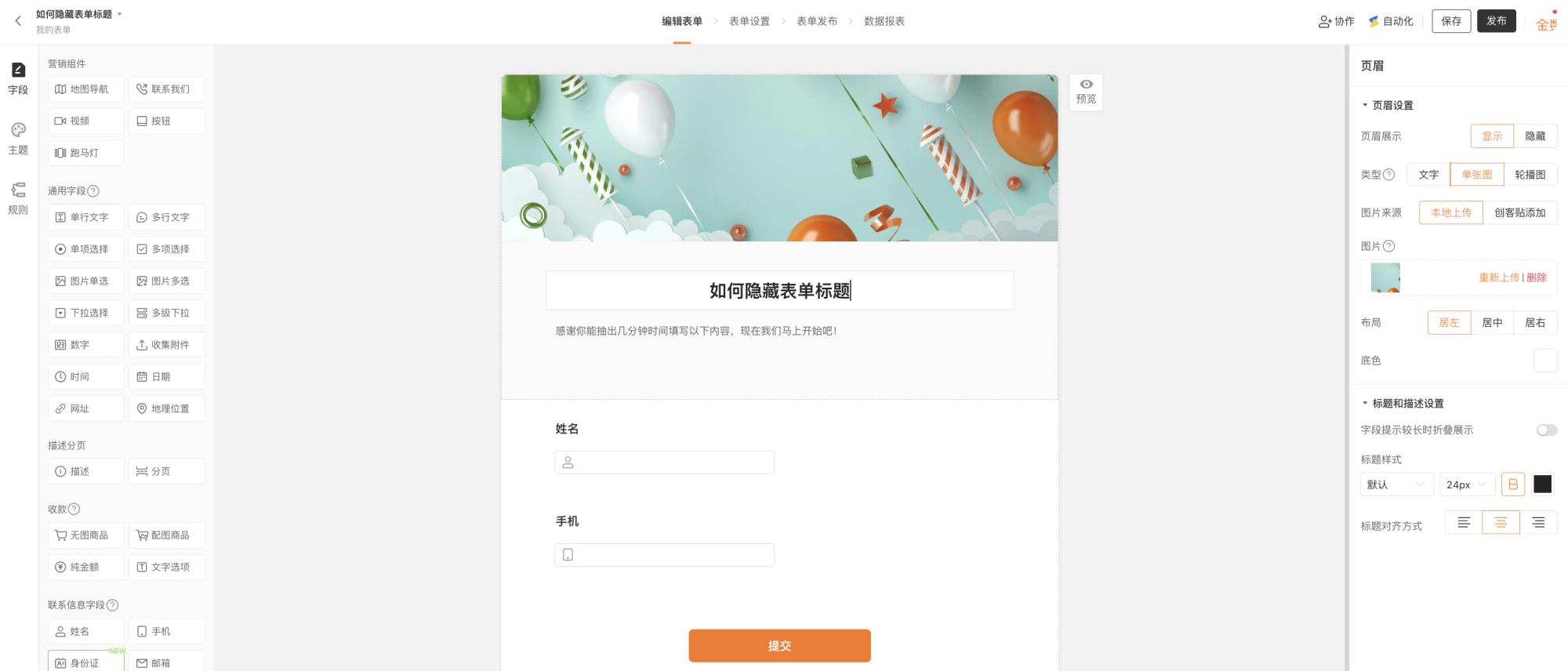
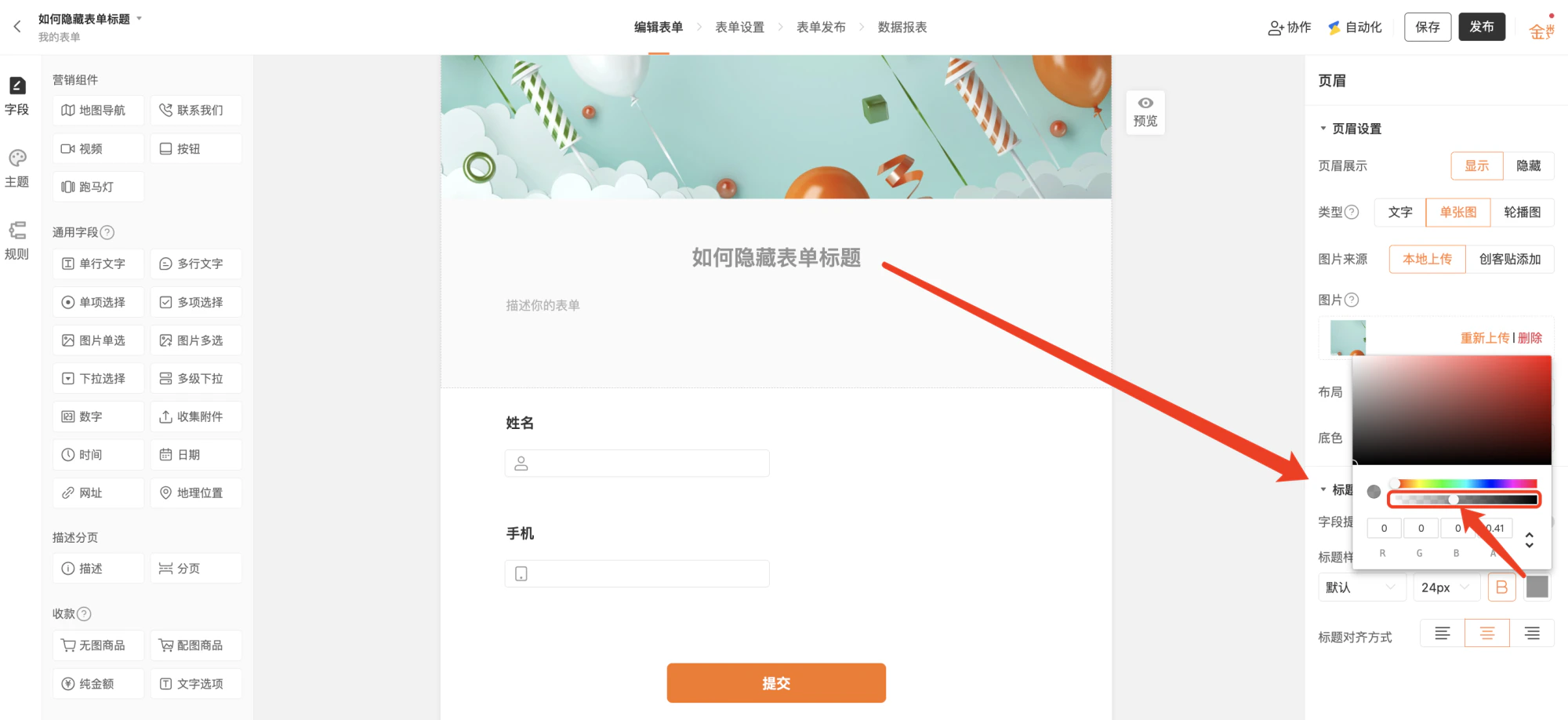
- 编辑页面右侧「标题和描述设置」,将文字颜色设置为全透明状态(将框选位置的小圆圈拉到最左侧)。
效果展示
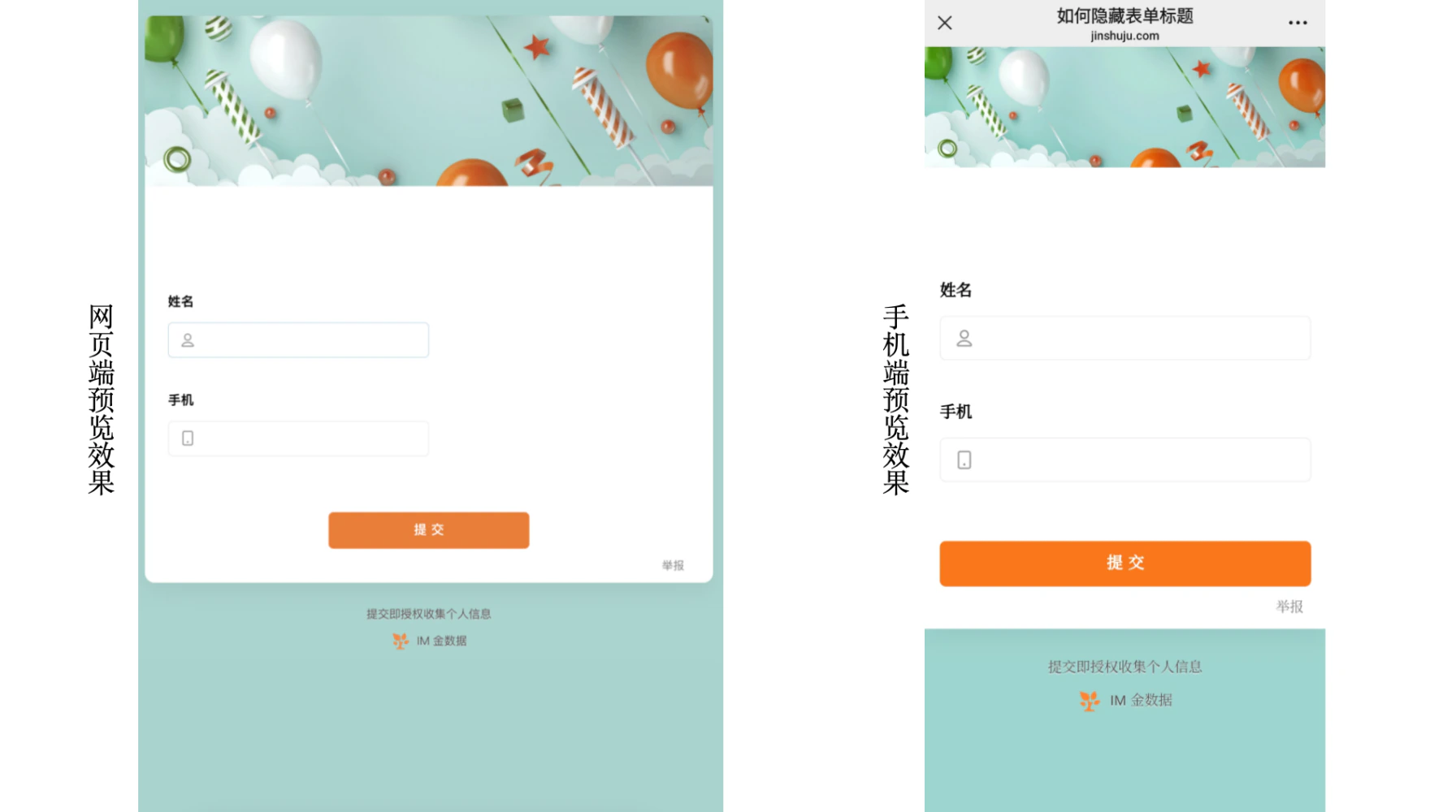
当需要页面更加简洁或嵌入式展示时,可设置表单标题显示透明,以此达到隐藏标题的效果。
Documentation Index
Fetch the complete documentation index at: https://help3.jinshuju.net/llms.txt
Use this file to discover all available pages before exploring further.