Documentation Index
Fetch the complete documentation index at: https://help3.jinshuju.net/llms.txt
Use this file to discover all available pages before exploring further.
一、Google Analytics 设置
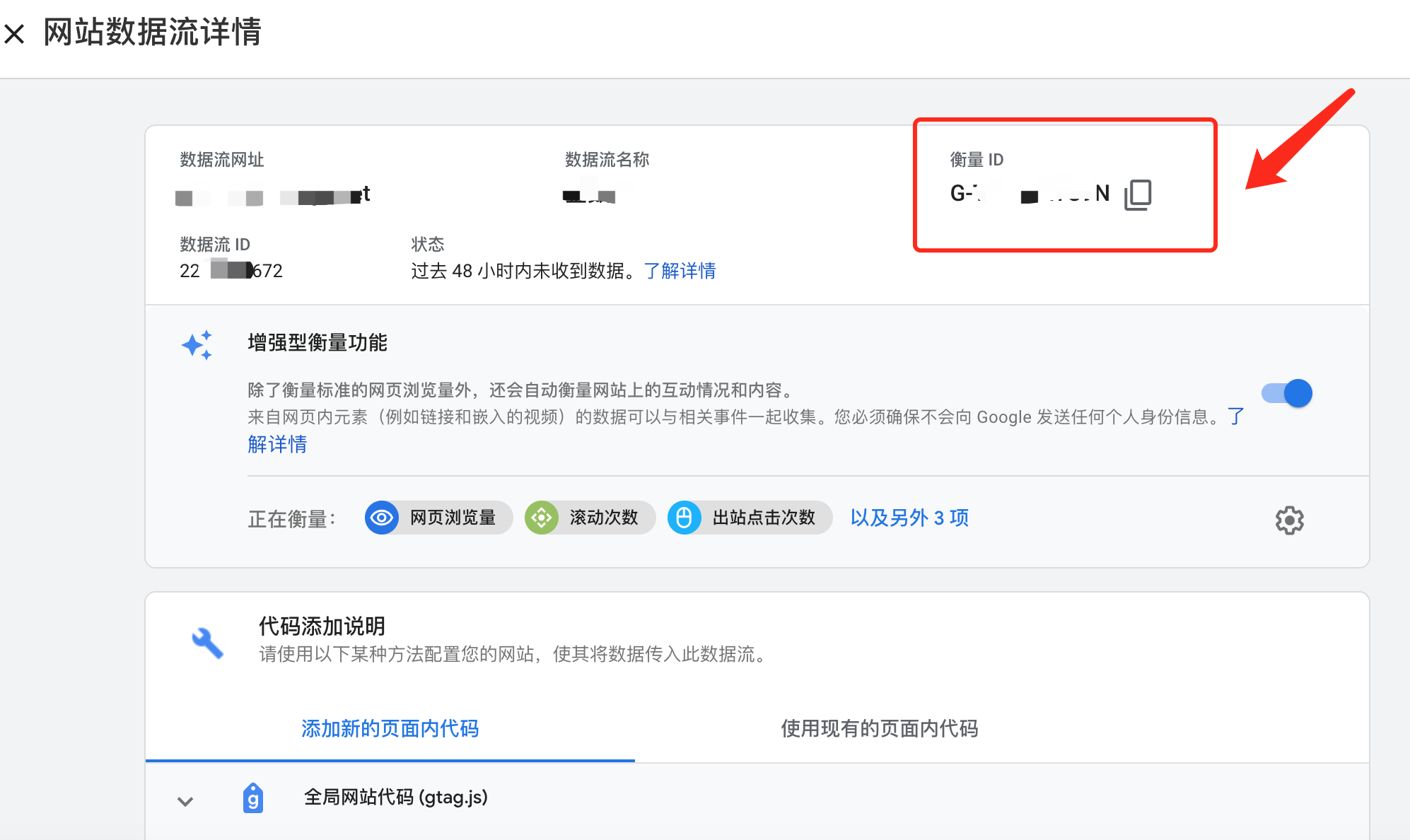
1)注册 Google Analytics 后,就需要添加数据流及网址,网址即你的表单网址。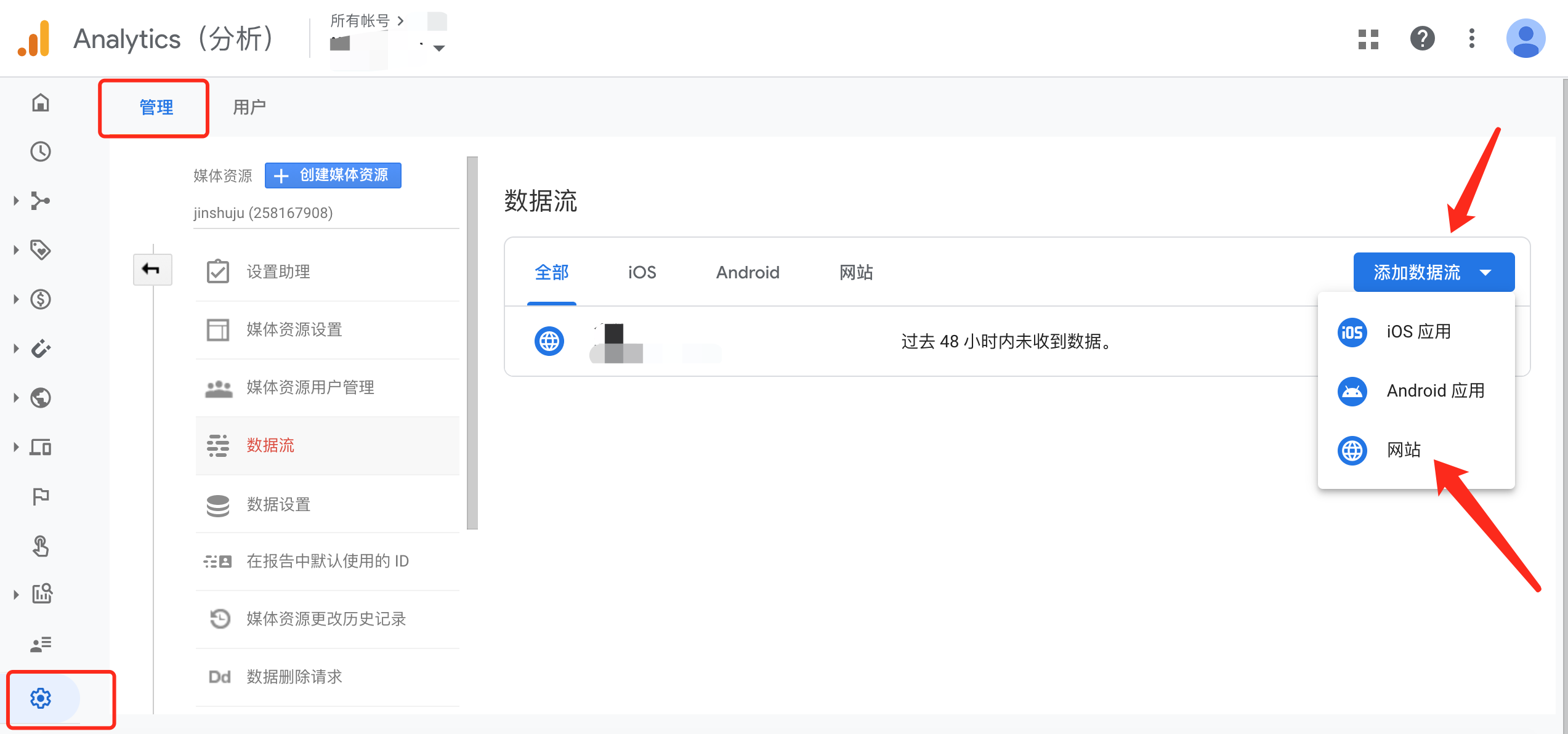 2)生成数据流后,你可以看到该网络媒体信息的衡量 ID 以及代码。(衡量 ID 即跟踪 ID )
二、表单设置
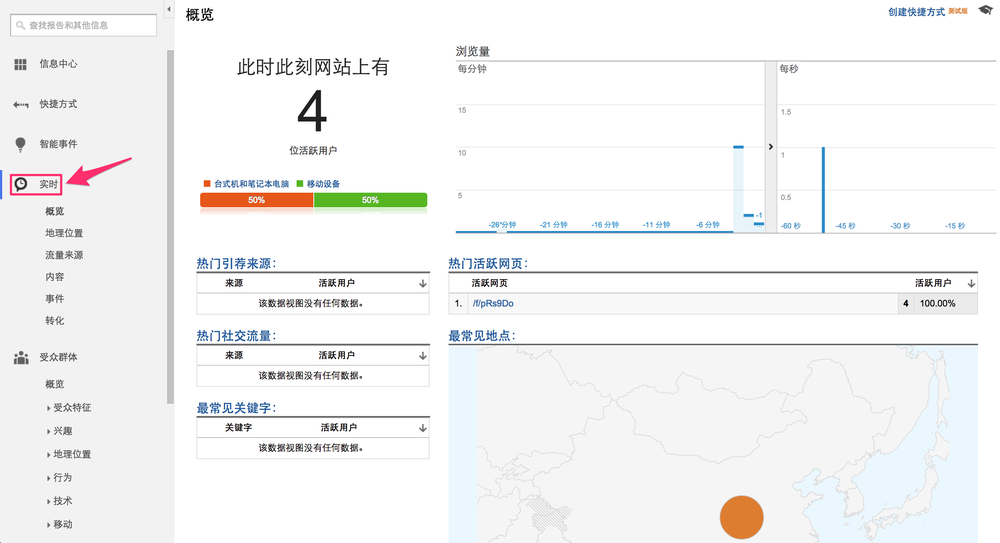
金数据已经在表单中嵌入了预置代码,你只需要在表单设置中添加站点 ID 即可。 1)进入表单的「表单设置——数据收集—— Google Analytics 跟踪 ID 」中,将你的跟踪 ID 填写到对应的位置。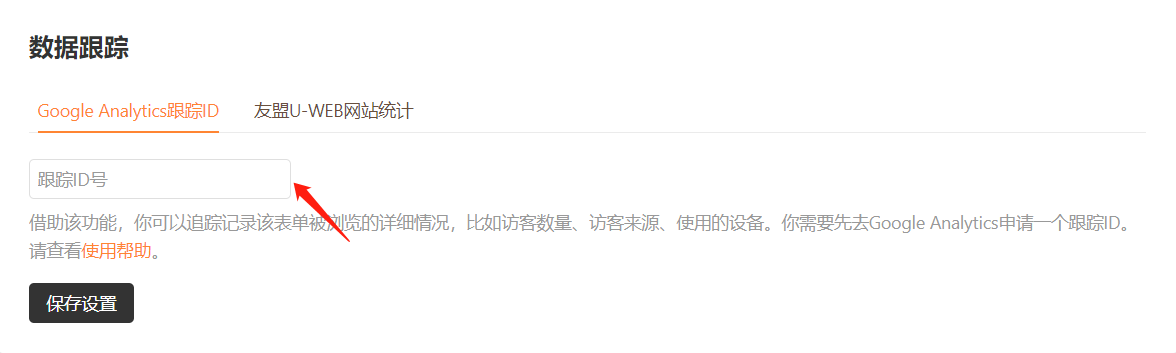 2)保存跟踪 ID 后,你可以在 Google Analytics 的「报告——实时」中看到实时访问的用户。